
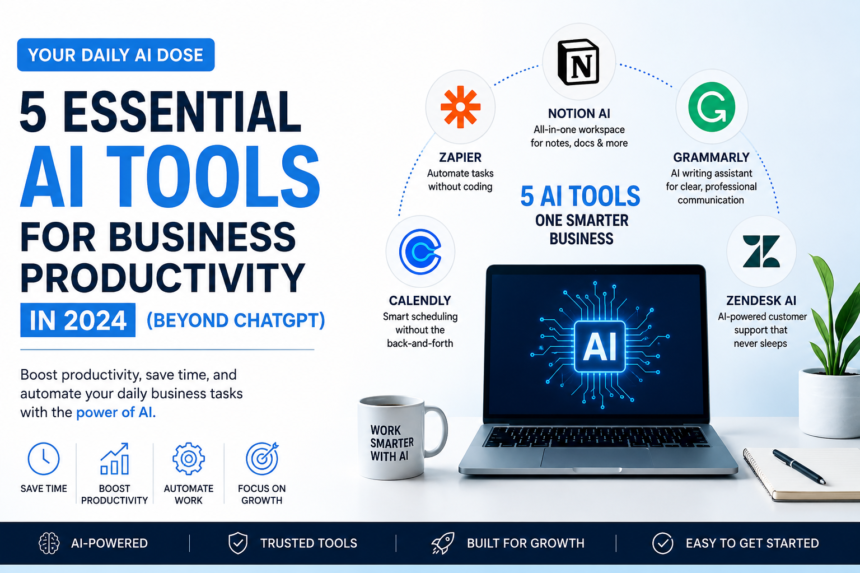
Most people have already tried ChatGPT at this point. Some use it to write emails, some for brainstorming ideas, and others for marketing content.
But here’s the truth—ChatGPT is just the starting point.
If you’re running a business or even handling day-to-day operations, the real productivity boost doesn’t come from a single tool. It comes when you combine multiple AI tools that handle different parts of your workflow.
In this article, I’ll walk you through 5 practical AI tools that can genuinely save you time every week and make your work feel less chaotic.
1. Notion AI — Your Second Brain for Work
Notion AI
Notion AI isn’t just a note-taking upgrade. It quietly turns your workspace into something closer to a “thinking system” for your business.
Instead of juggling notes, documents, and to-do lists in different places, you can keep everything in one space—and let AI help you clean it up.
What stands out in real use:
- It turns messy meeting notes into structured summaries
- Helps you draft simple business plans or SOPs in minutes
- Pulls out action points so nothing gets missed
- Keeps projects organized without overthinking it
Getting started is pretty simple:
Just create a workspace, switch on Notion AI, and start giving it basic instructions like:
- “Summarize this meeting”
- “Turn this into a task list”
- “Draft a weekly marketing plan”
It’s especially useful if you’re running lean—like a startup, freelance setup, or small team where you’re doing multiple roles at once.
2. Zapier — Automation That Works in the Background
Zapier
Zapier is one of those tools you don’t really “see” working—but you definitely feel the difference once it’s set up.
It connects your apps and lets them talk to each other automatically, without coding or technical setup.
In simple terms, it replaces repetitive manual work with automation.
What it helps with:
- Moving data between apps automatically
- Connecting tools like Gmail, Sheets, Slack, and CRMs
- Cutting down repetitive admin tasks
- Reducing small human errors that slow things down
To get started, you just:
Pick two apps you already use → create a “Zap” → define:
- Trigger (what starts the action)
- Action (what happens next)
Example:
When you get a new email → automatically save attachments to Google Drive.
It’s especially useful for operations, marketing workflows, and backend admin tasks where repetition kills productivity
3. Grammarly — Your Silent Writing Assistant
Grammarly
If you write anything for business—emails, proposals, marketing copy—Grammarly quietly becomes one of those tools you stop noticing but start relying on.
It’s not just about fixing spelling mistakes anymore. The real value is in how it shapes your writing so it actually sounds clearer and more professional.
What it helps you with in real work:
- Fixes grammar and awkward sentence structure
- Suggests clearer, more natural phrasing
- Adjusts tone depending on your audience (formal, friendly, confident)
- Helps avoid confusing or overly complicated writing
The interesting part is that it doesn’t “rewrite your voice”—it just smooths out the rough edges. So your message still sounds like you, just cleaner and easier to understand.
How to use it:
Install the browser extension or desktop app → write normally → let Grammarly highlight improvements → accept or ignore suggestions.
It’s especially useful if you deal with clients, write emails daily, or create any kind of content where clarity matters.
4. Canva AI — Design Without Being a Designer
Canva
Canva has basically removed the excuse of “I’m not a designer.”
With its AI features, you can now create social media posts, presentations, ads, and even short videos without touching complex design software.
What makes it useful in daily business:
- Generates design layouts automatically based on your idea
- Helps you turn text prompts into visuals
- Makes social media content creation fast and consistent
- Offers ready templates you can tweak in minutes
In real terms, you stop spending hours trying to make something “look good.” Instead, you focus on what you want to say, and Canva handles the design side.
Getting started is simple:
Pick a template → or use AI design → type what you want (like “Instagram post for a discount offer”) → edit and publish.
It’s especially helpful for marketing teams, small business owners, and anyone managing social media without a design background.
5. Fireflies AI — Meeting Notes That Write Themselves
Fireflies.ai
Most meetings have the same problem—people forget what was actually decided.
Fireflies AI fixes that by automatically recording, transcribing, and summarizing meetings so you don’t have to rely on memory or manual notes.
What it actually does in practice:
- Joins your online meetings and records them
- Converts speech into clean, readable transcripts
- Summarizes key points and decisions
- Highlights action items so follow-ups don’t get missed
The biggest advantage is simple: you can actually focus on the conversation instead of typing notes in panic.
How to use it:
Connect it to your calendar → let it join meetings automatically → review summaries after calls.
It’s especially useful for remote teams, client calls, and anyone who has back-to-back meetings and no time to document everything manually.